What is RSS?
An open standard websites and podcasts use to publish new posts. Add a source to Tribb and its new posts appear in your library.
An RSS reader for the sites, newsletters, podcasts, and videos you choose. No algorithm.



Add a site by its address, share it from Safari, or bring your list as OPML.

Read it now, save it for later, or move it to the end of your feed.
Articles open on the publisher’s own page, so your visits support the people you read.
Nothing refills it. Read what you follow, and you’re done.


Your library and your place in every post go with you.


iPad


iPhone Duo

iPhone
Apple’s on-device model does it for articles, episodes, and videos.

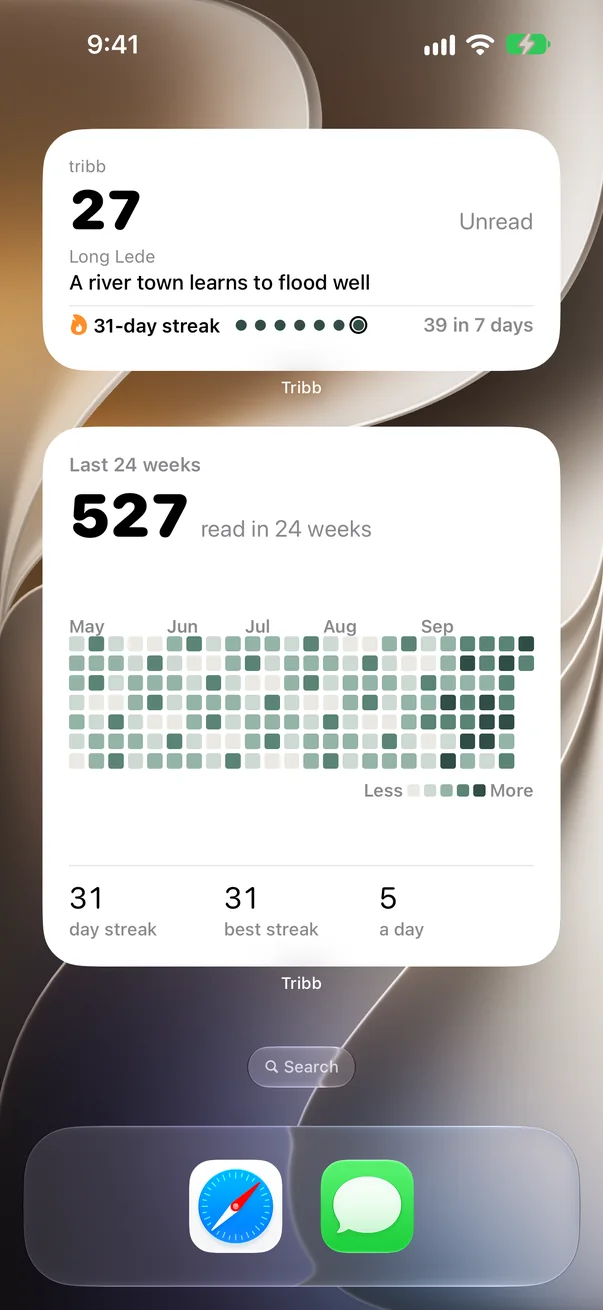
On the Home Screen. Or ask Siri, “What’s new in Tribb?”
“Today’s feeds are built to keep us scrolling. I picked a short list of sources I trust and made that my feed. I use Tribb every day.”
An open standard websites and podcasts use to publish new posts. Add a source to Tribb and its new posts appear in your library.
Your visits support the sources you choose. Opening the original page sends traffic to the publisher and keeps the author’s layout.
Yes. Tribb is free to use.
Yes, through your private iCloud account when iCloud is on. Feeds, folders, read state, Saved, Read at end, reading positions, and weekly counts sync. Website data, summaries, and daily history stay on each device.
Yes. Choose Import OPML on the first screen or in Settings. OPML restores feed addresses and folders, not reading state or saved articles.
Open Settings and choose Export OPML.
Open Feeds, select the feed, and choose Resync Now. Check Last attempt and Result. Some publishers block automated requests or publish an invalid feed.
Check your connection and reopen the article, or choose Open in Safari from the article menu. Some publisher pages need a subscription.
Your library stays available on the device. Open Settings to read Sync Status and choose Retry Sync when offered.
Open Settings and choose Use Current iCloud Library. Tribb replaces the library on this device with your iCloud library. It does not merge them or delete iCloud data.
Summary uses Apple’s on-device model, so it needs a supported device, a supported language, and enough text in the post. Reading always works without it.
Check that the publisher’s media link still works and check your network. YouTube posts open in the YouTube app or Safari.
Open Settings and choose Erase This Device. Private iCloud data can download again.
Export OPML first if you want a copy. Choose Delete iCloud Library, then Prepare, then Replace Library. The old library stays in iCloud until you confirm Delete Old iCloud Data.
Still stuck? Email support@tribb.app.